

Step 1
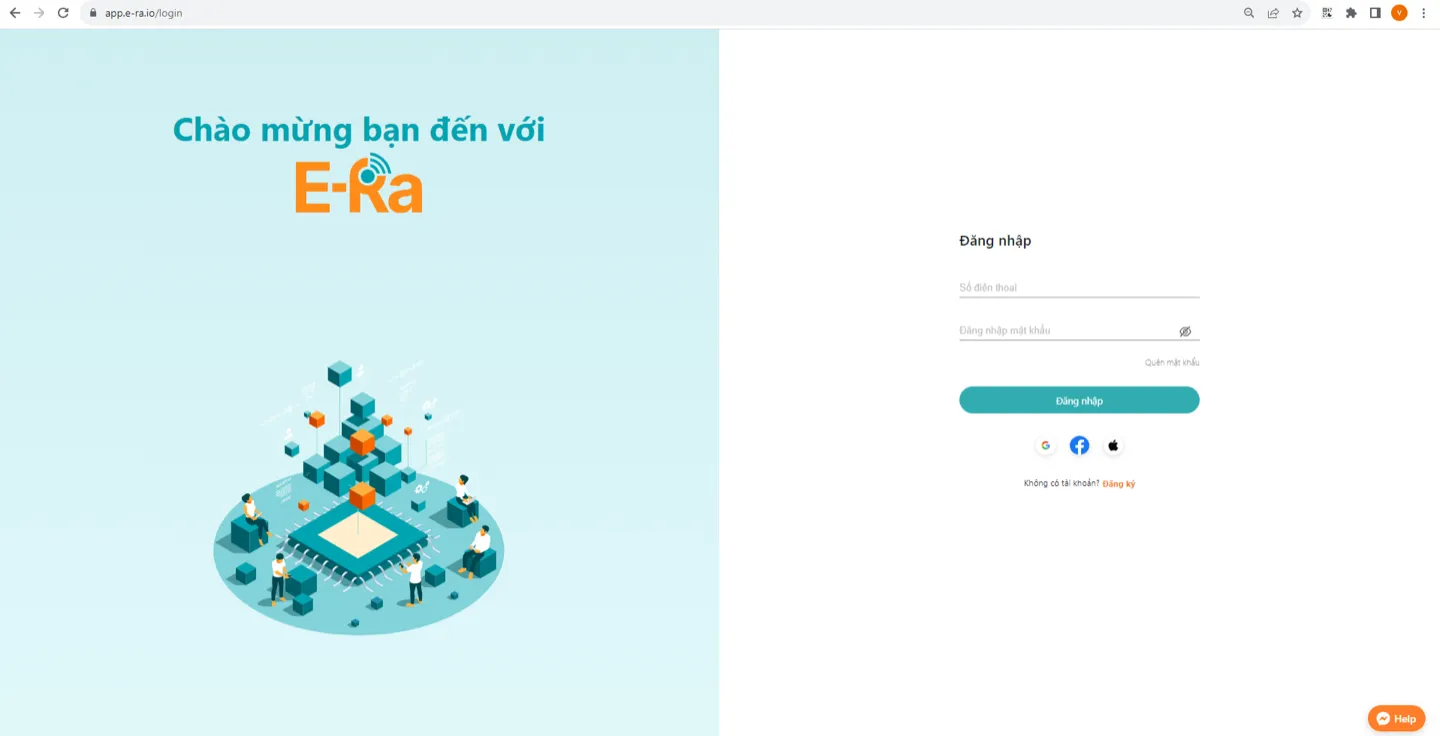
The buyer visits the website https://app.e-ra.io/
Step 2
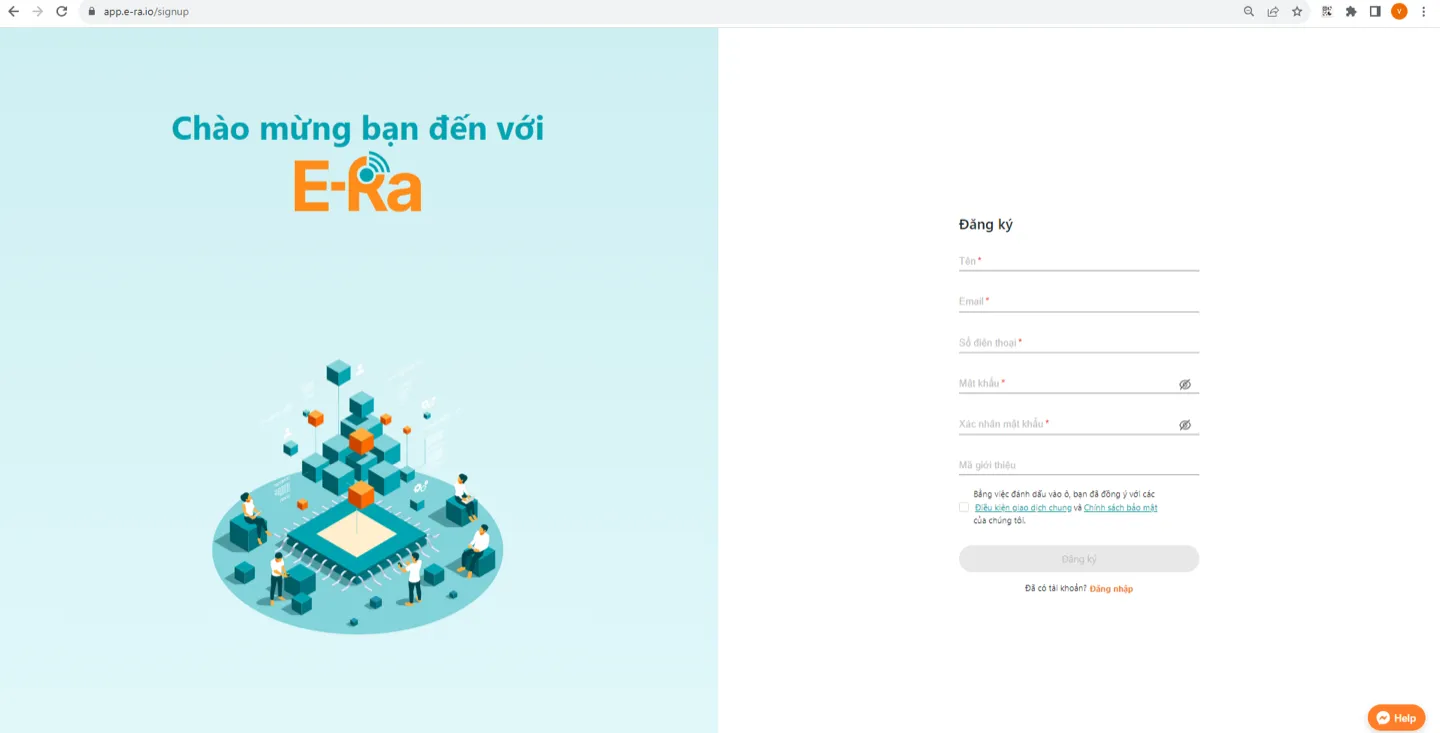
Under “Sign in” (“Đăng nhập”), the Buyer signs up for, or signs in to, a valid E-Ra account.
To sign up, enter your Name, Email, Phone number, Password and Confirm password → click “Sign up” (“Đăng ký”).
Enter the verification code sent to the phone number used to register the E-Ra account, then click “Confirm” (“Xác nhận”).
Step 3
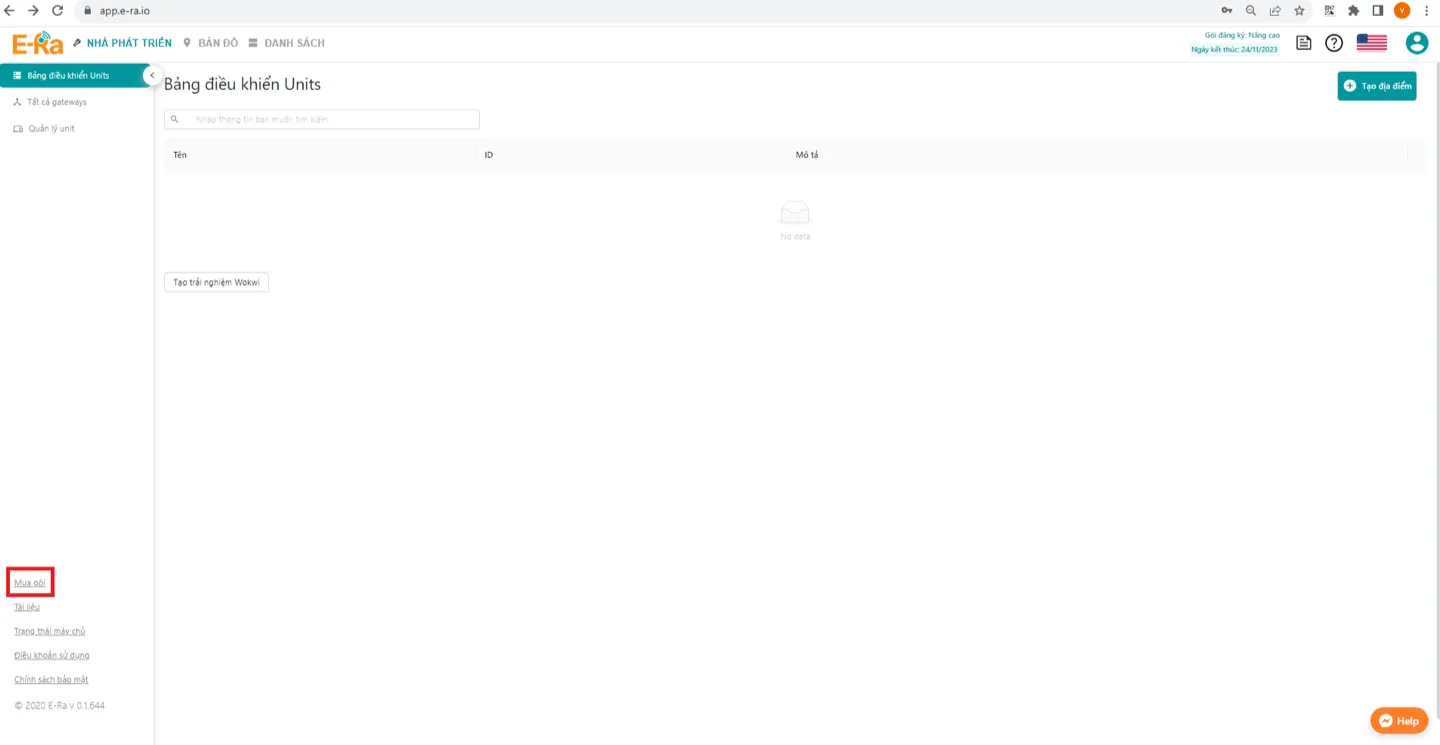
The buyer clicks “Buy plan” (“Mua gói”) on the E-Ra website.
Step 4
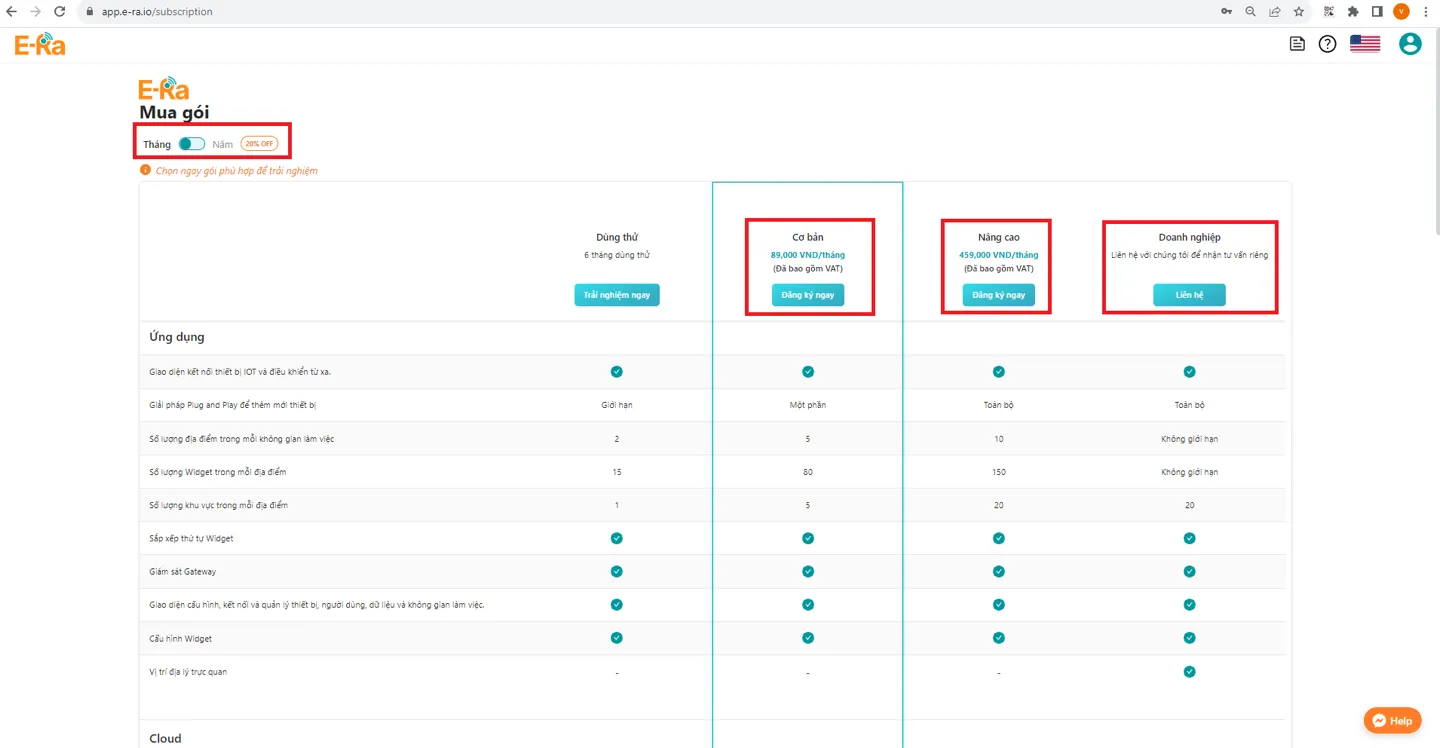
Under “Buy plan”, the Buyer reviews the service plans available in the “Standard” (“Cơ bản”), “Premium” (“Nâng cao”) or “Business” (“Doanh Nghiệp”) column and chooses monthly or yearly billing.
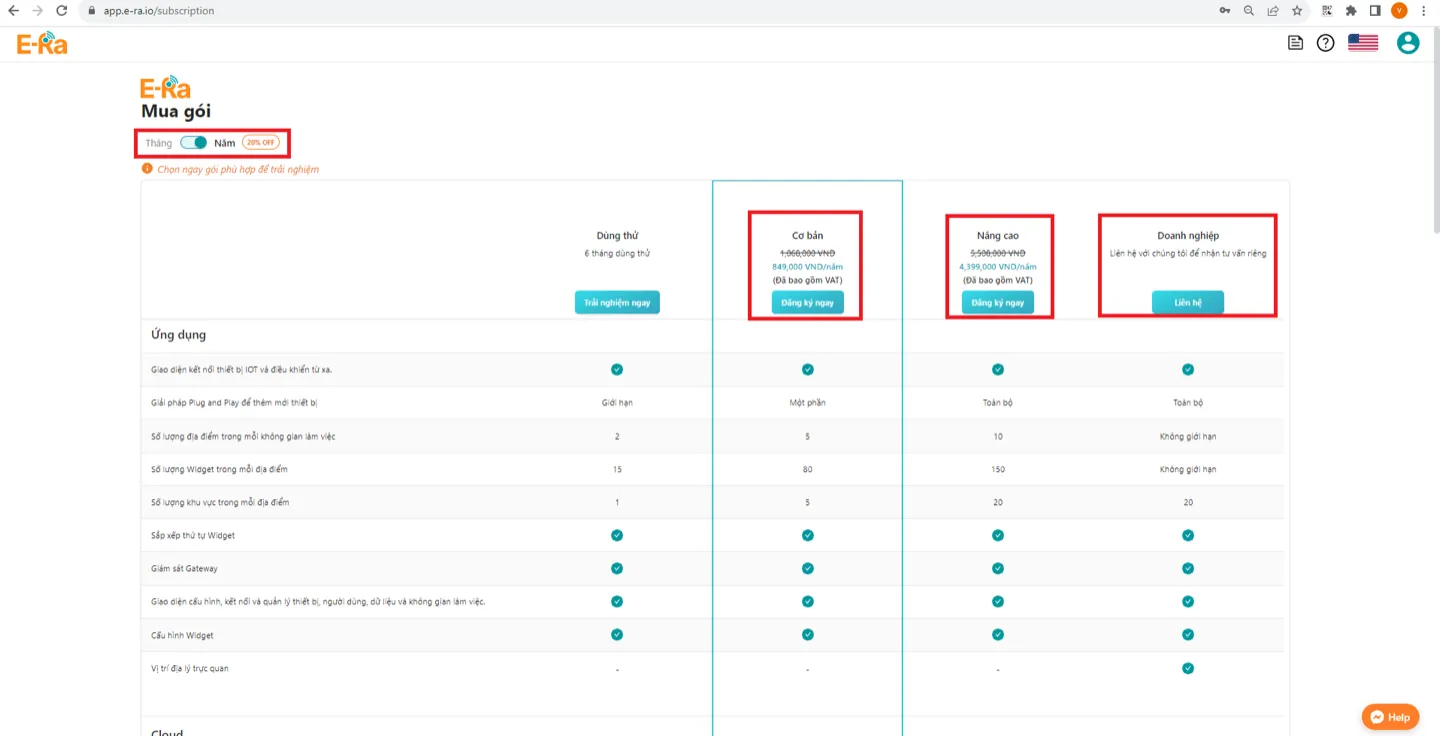
Step 5
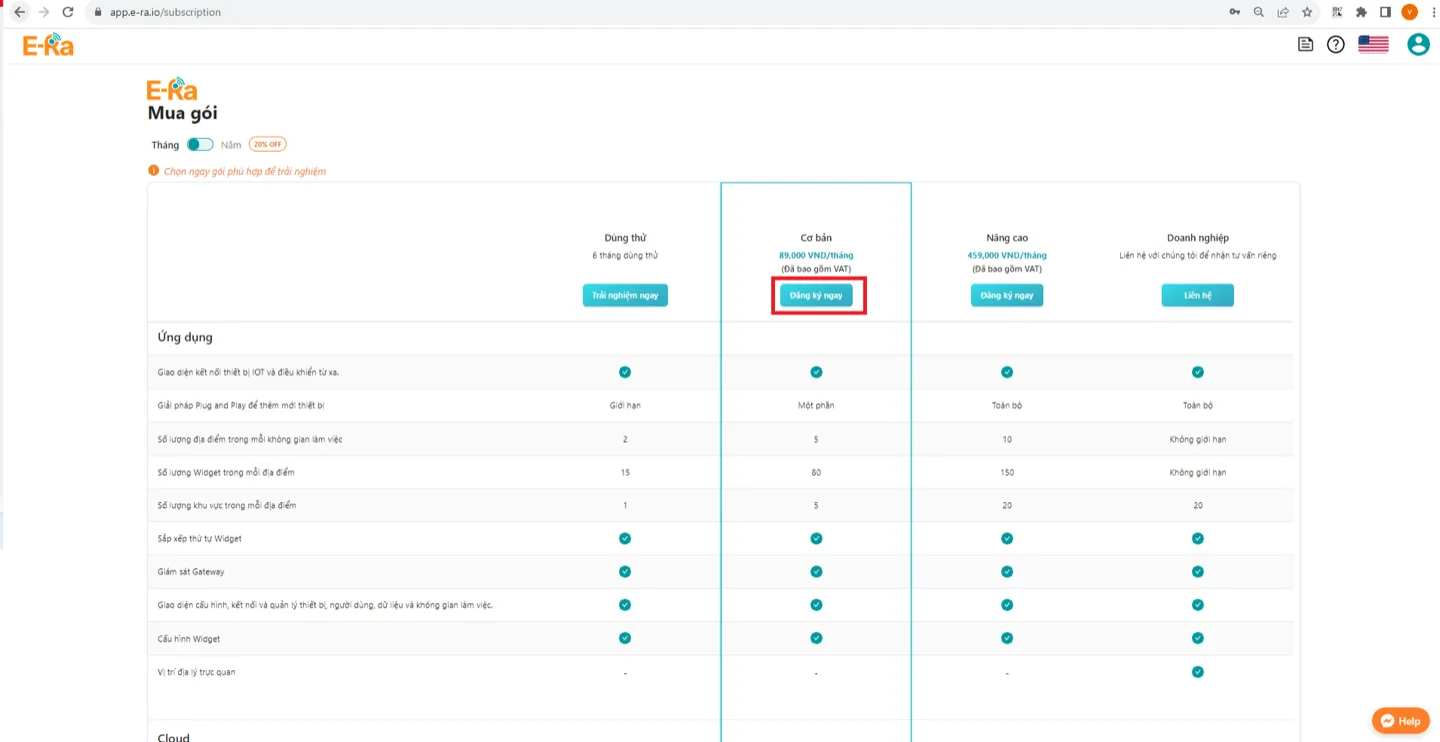
The buyer clicks “Subscribe now” (“Đăng ký ngay”) to buy the chosen plan.
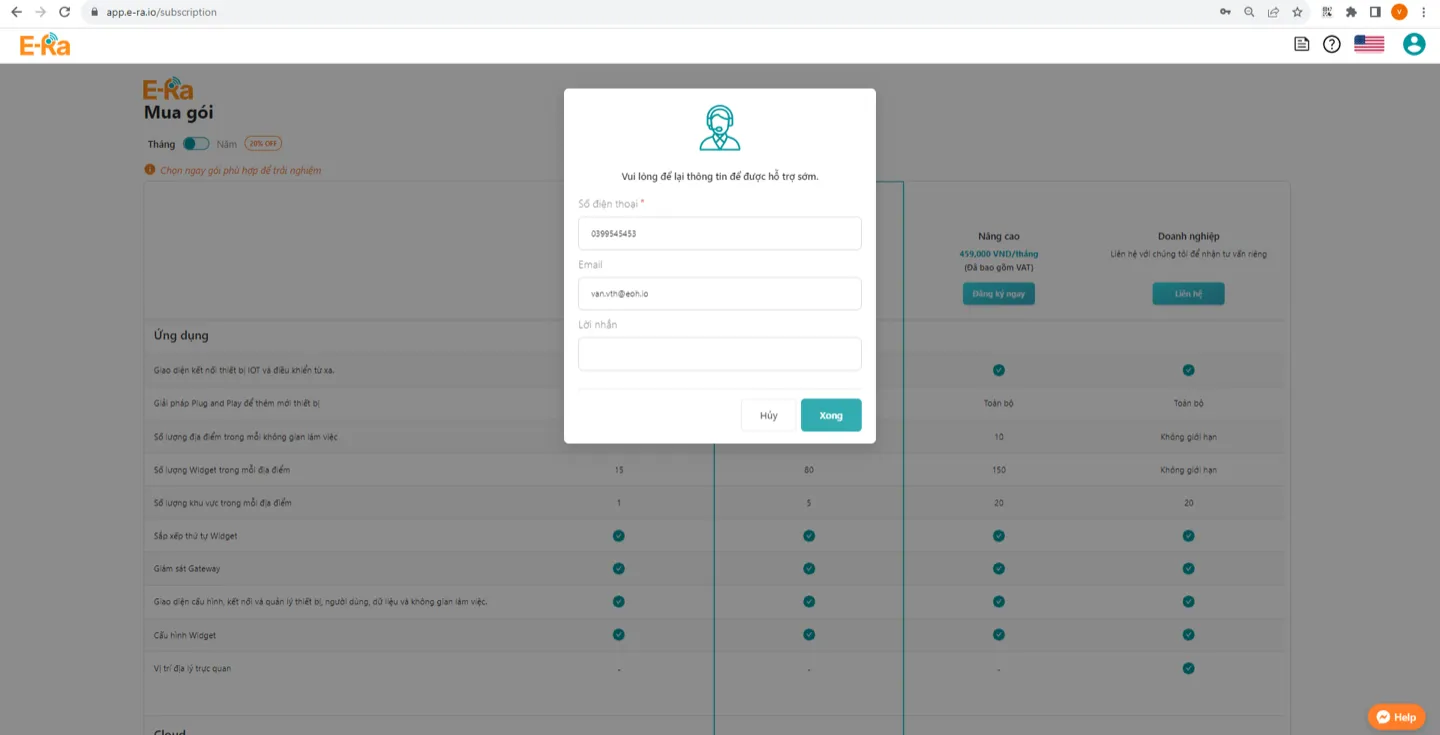
If the Buyer wants to buy the “Business” plan, click “Contact” (“Liên hệ”), leave a message and click “Done” (“Xong”). We will receive the information and contact the customer about the Business plan.
Step 6
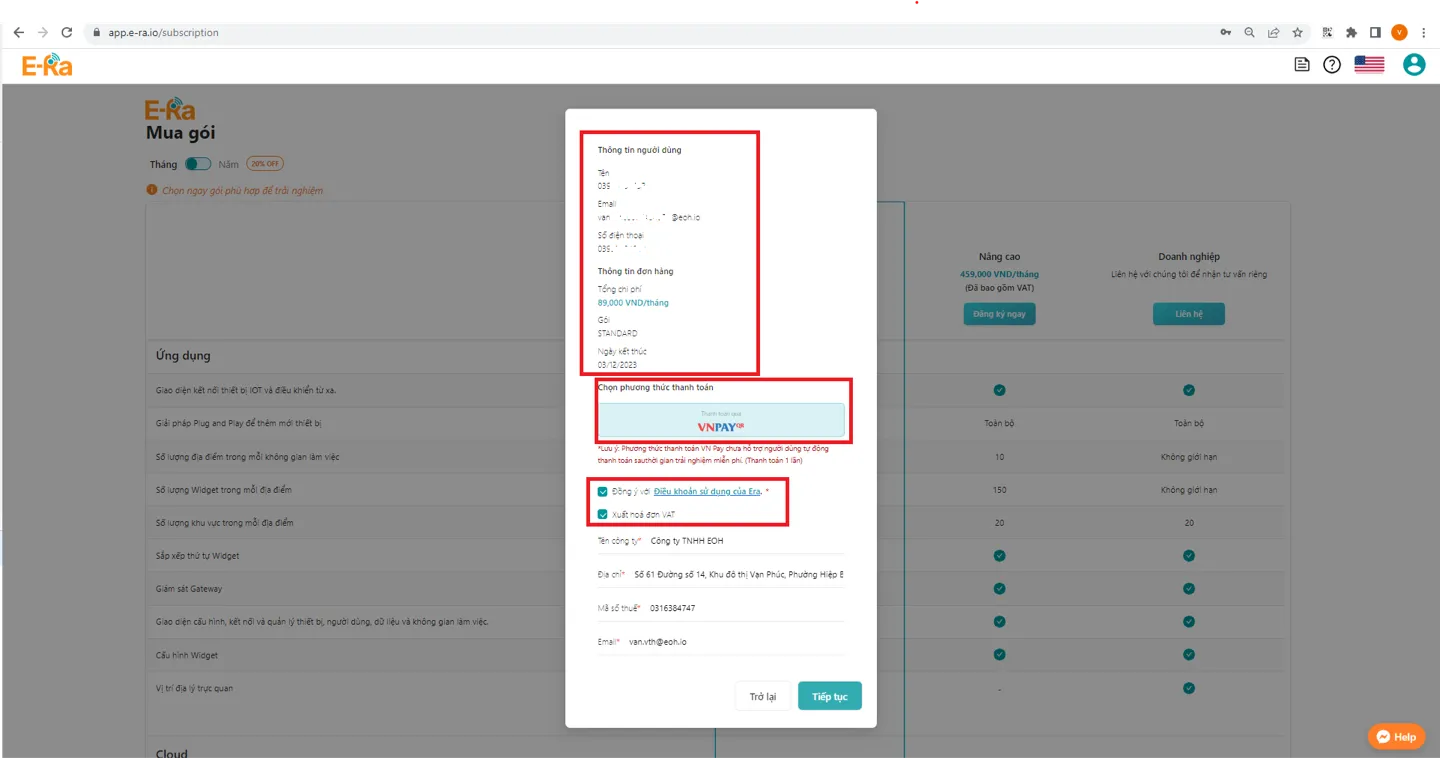
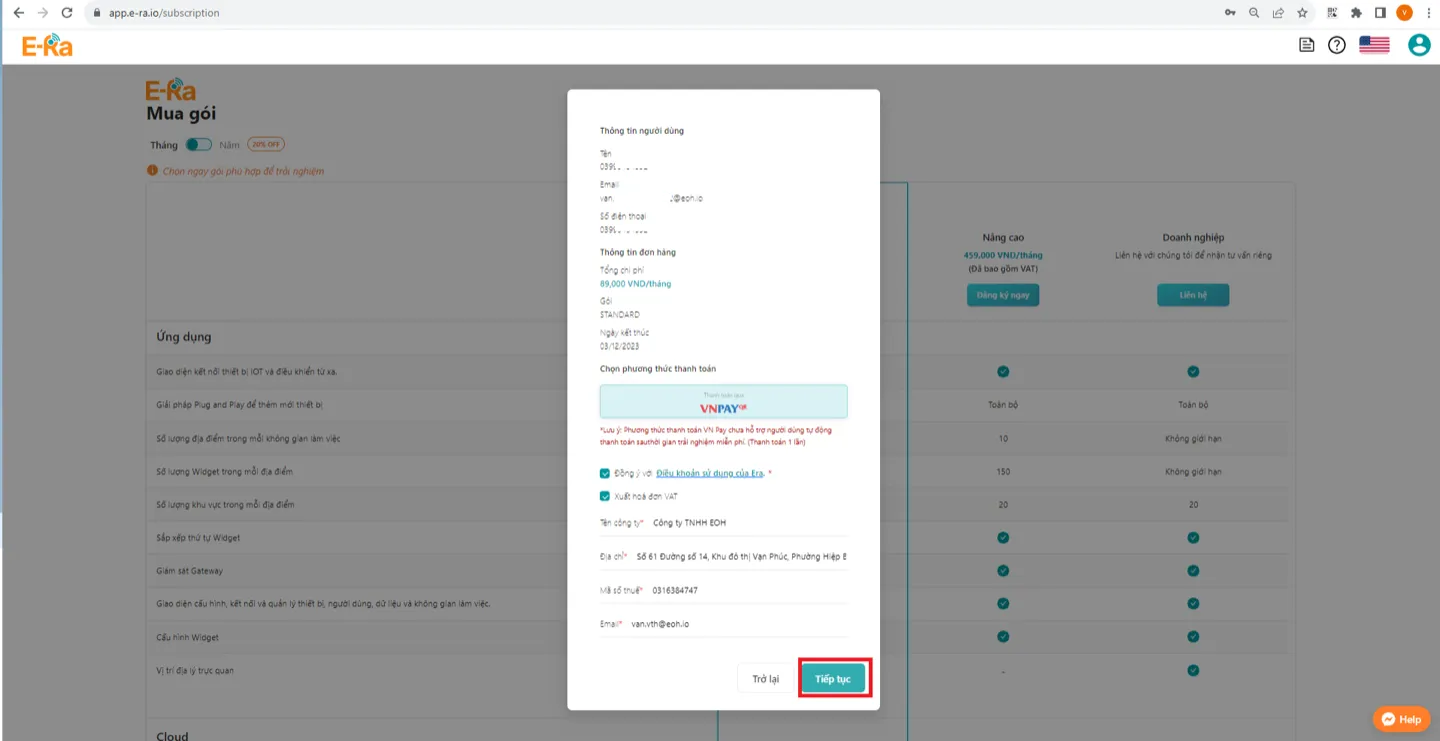
The buyer checks the user and order information, then selects “Pay with VNPAYQR”. Read the E-Ra Terms of Use carefully and tick “I agree to the E-Ra Terms of Use” to continue. If the buyer needs a VAT invoice, tick “Issue VAT invoice” (“Xuất hóa đơn VAT”) and fill in the required information, or skip it if no VAT invoice is needed.
Step 7
The buyer clicks “Continue” (“Tiếp tục”) after checking the information in step 6.
Step 8
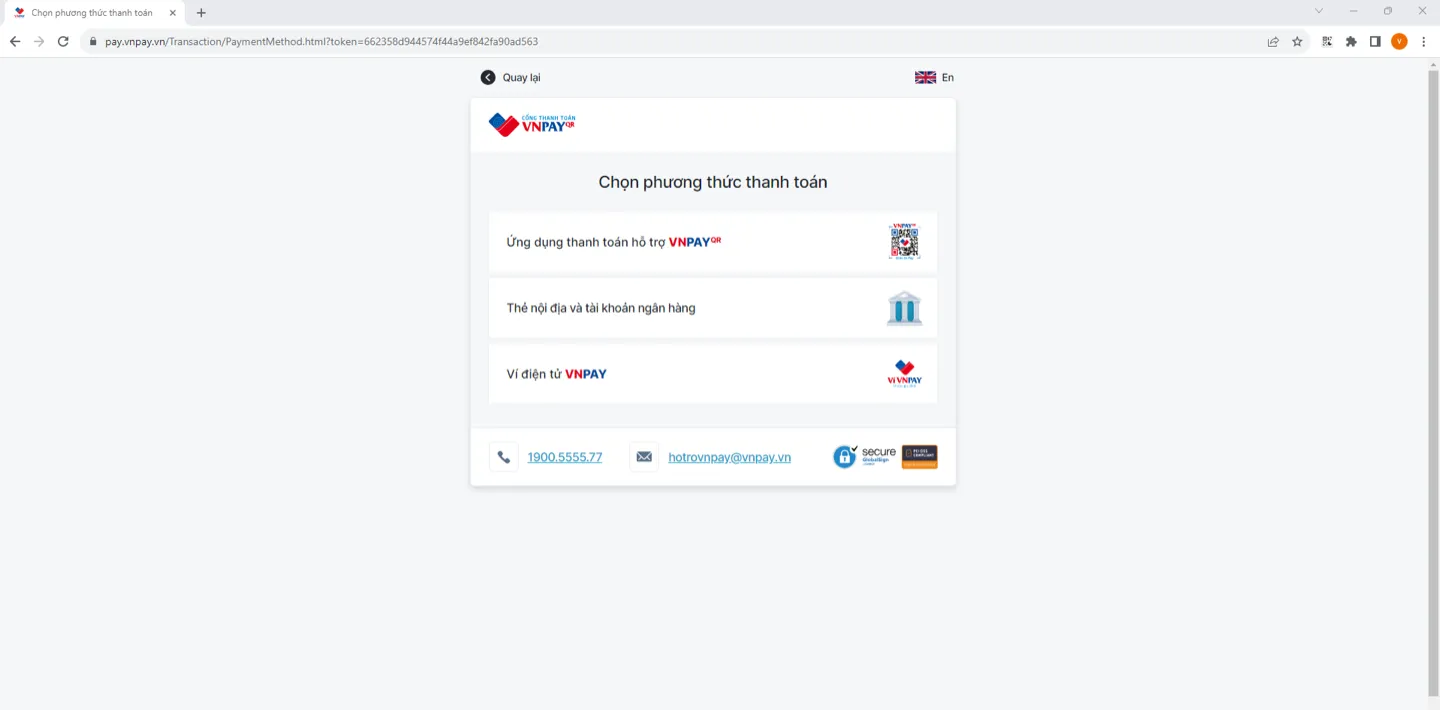
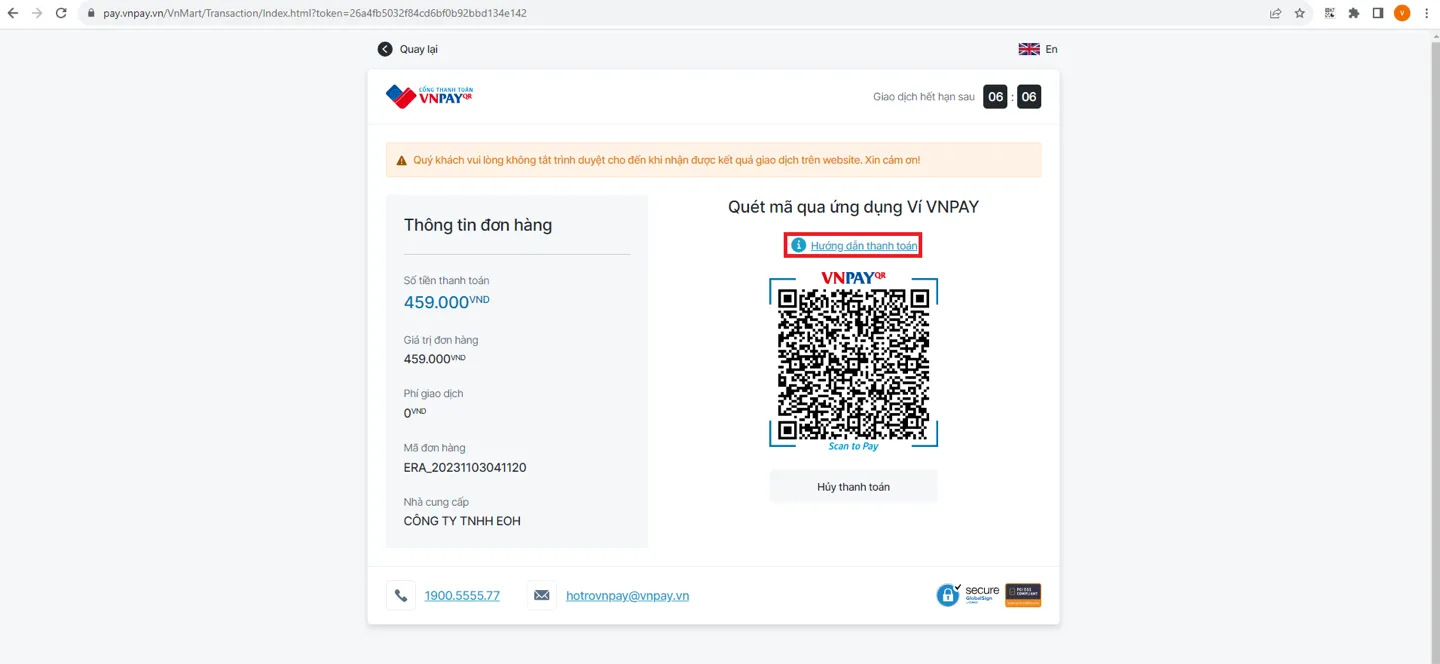
On the payment method page of the payment intermediary VNPAY, the Buyer chooses one of three payment methods: “Payment apps supporting VNPAYQR”, “Domestic cards and bank accounts” or “VNPAY e-wallet”.
Step 9.1
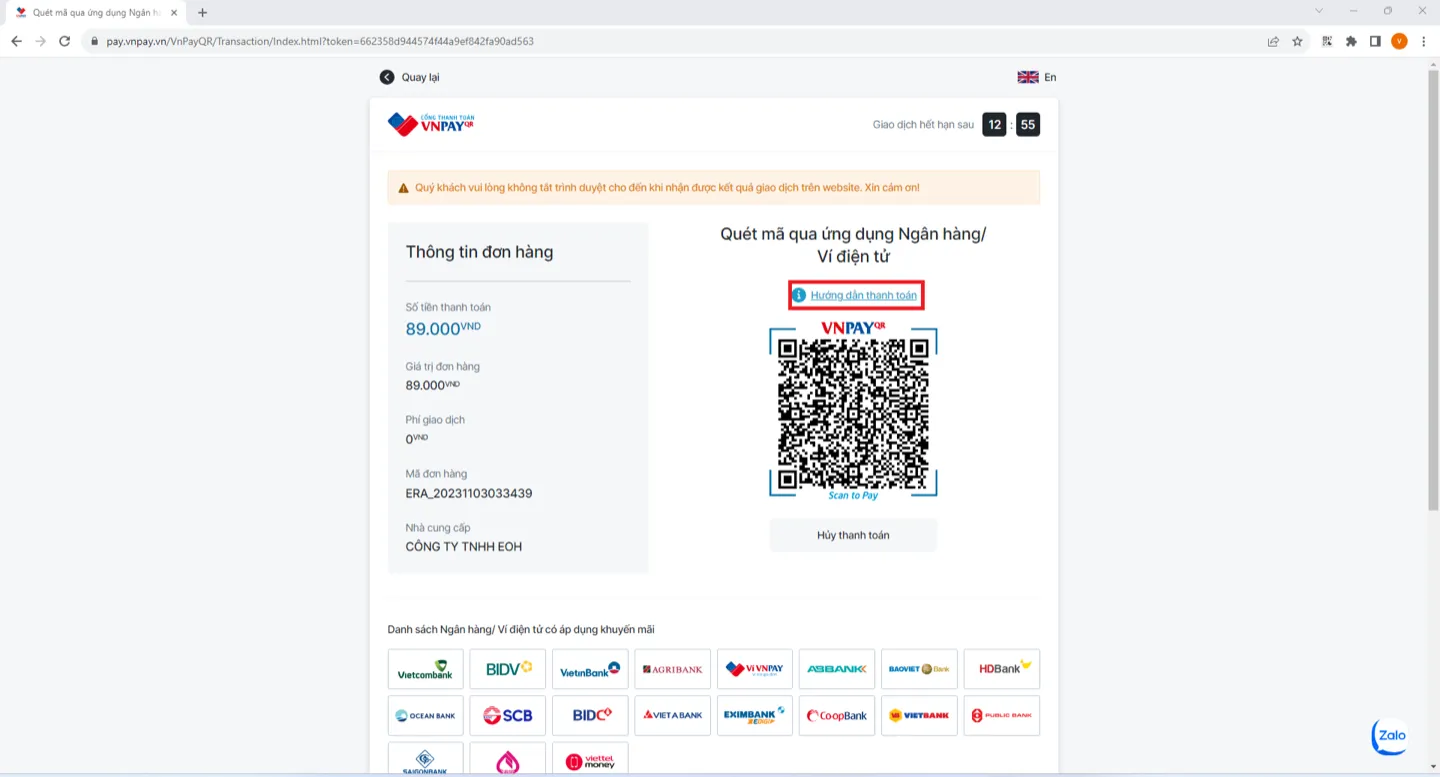
With “Payment apps supporting VNPAY”, the Buyer follows the payment instructions and pays in their banking app.
Step 9.2
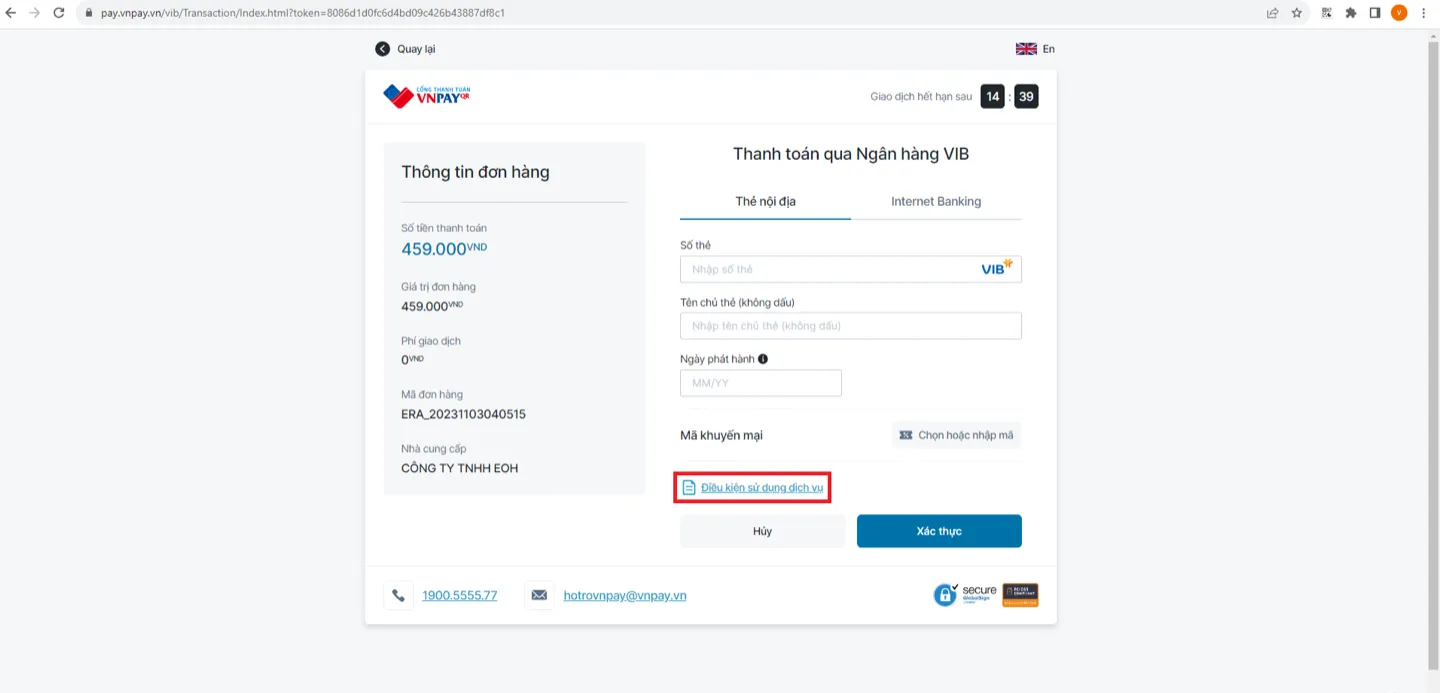
With “Domestic cards and bank accounts”, the Buyer reads the terms of use and pays for the order from their bank card or account.
Step 9.3
With “VNPAY e-wallet”, the Buyer follows the payment instructions and pays in their VNPAY wallet app.
Step 10
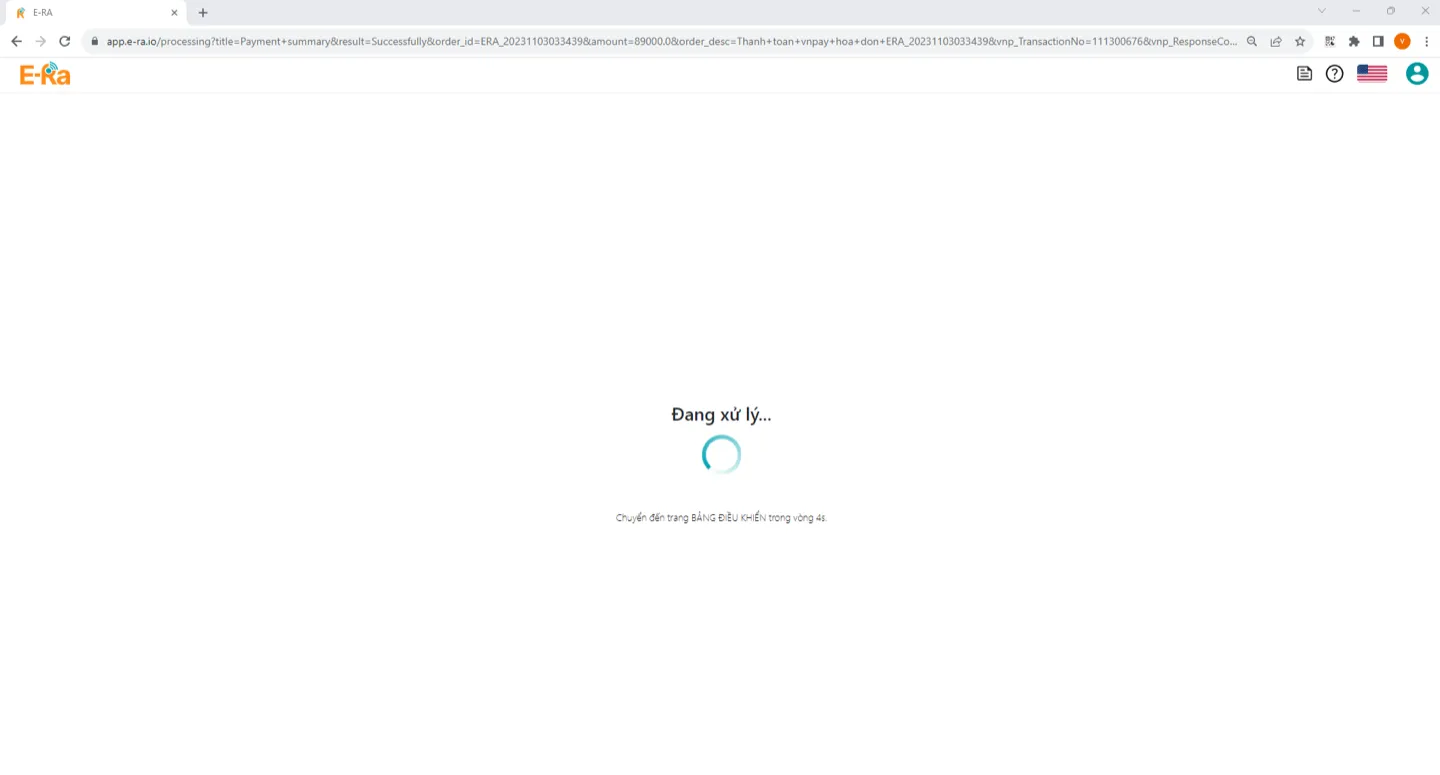
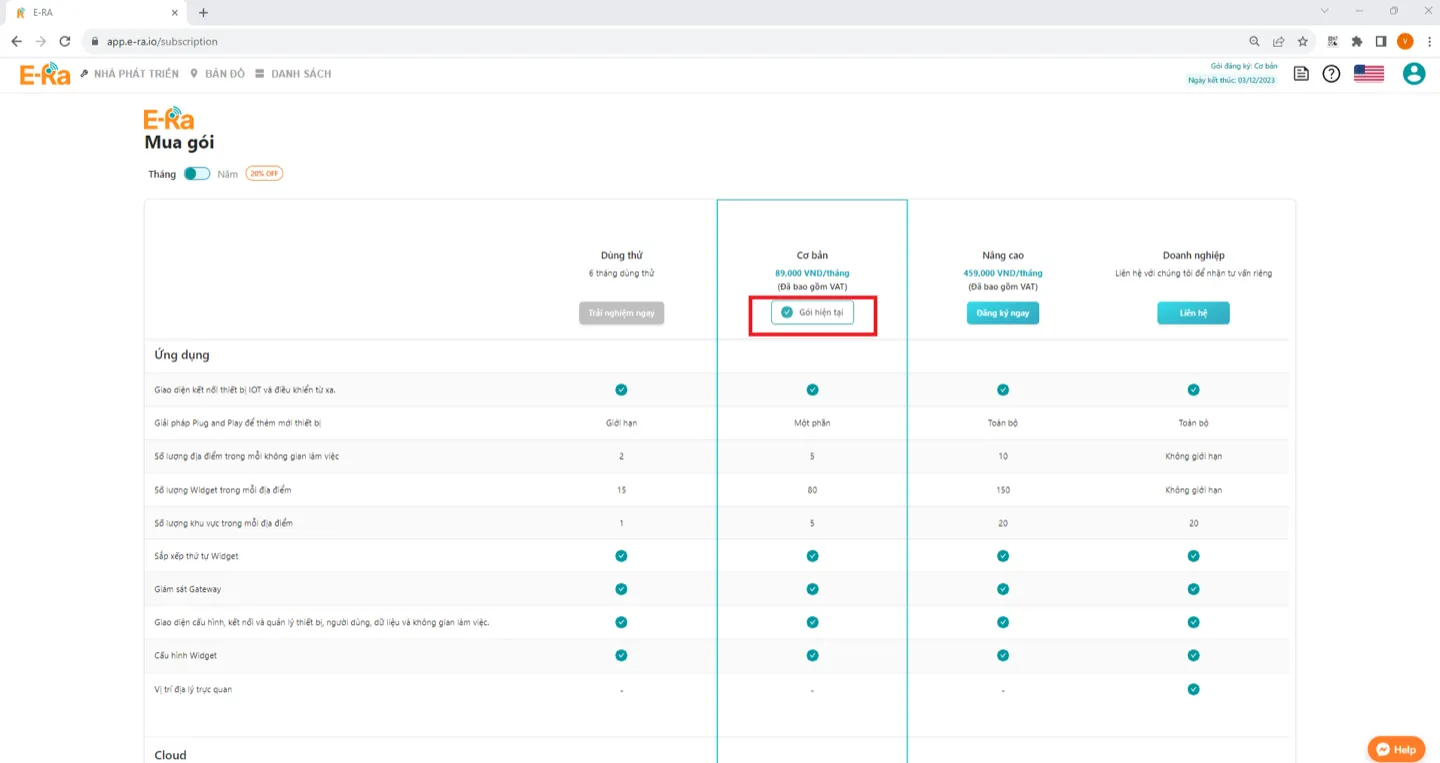
As soon as the buyer pays successfully through the payment intermediary VNPAY, the system automatically processes the order and activates the purchased plan.
Step 11
The user can use the software features on the website within the scope of the purchased service plan.